Web Speed: 12 Innovations of 2022
 Radek Šír12/30/20225 minutes reading
In this article, we explore some features, techniques, or tools that caught our attention the most in 2022.
1) WebP and AVIF Images in Nearly All Browsers
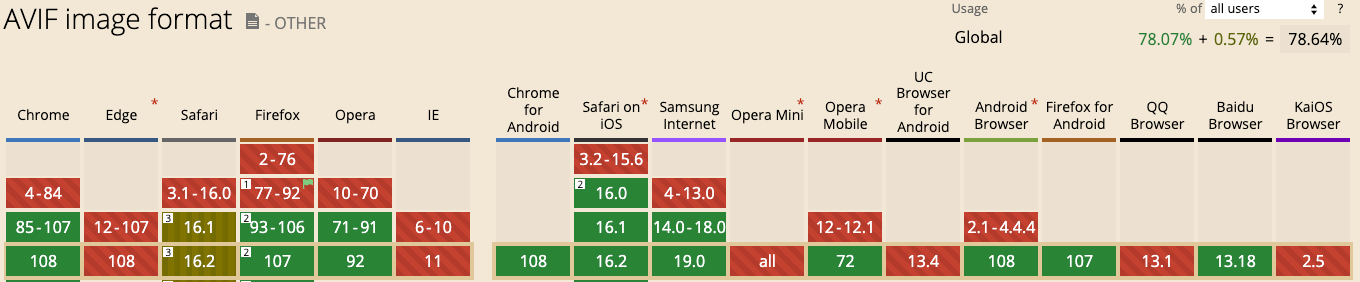
Support for new formats has once again improved. Modern image formats like WebP and AVIF can significantly accelerate websites by encoding the same information into smaller files.
While WebP has been widely supported for over two years, AVIF support only appeared in Safari this September with the release of iOS 16 and macOS Ventura. Keep in mind that not all Safari users have upgraded yet, and Edge still does not support AVIF. However, you can use WebP with reasonable confidence.
2) Change in CLS Metric Calculation
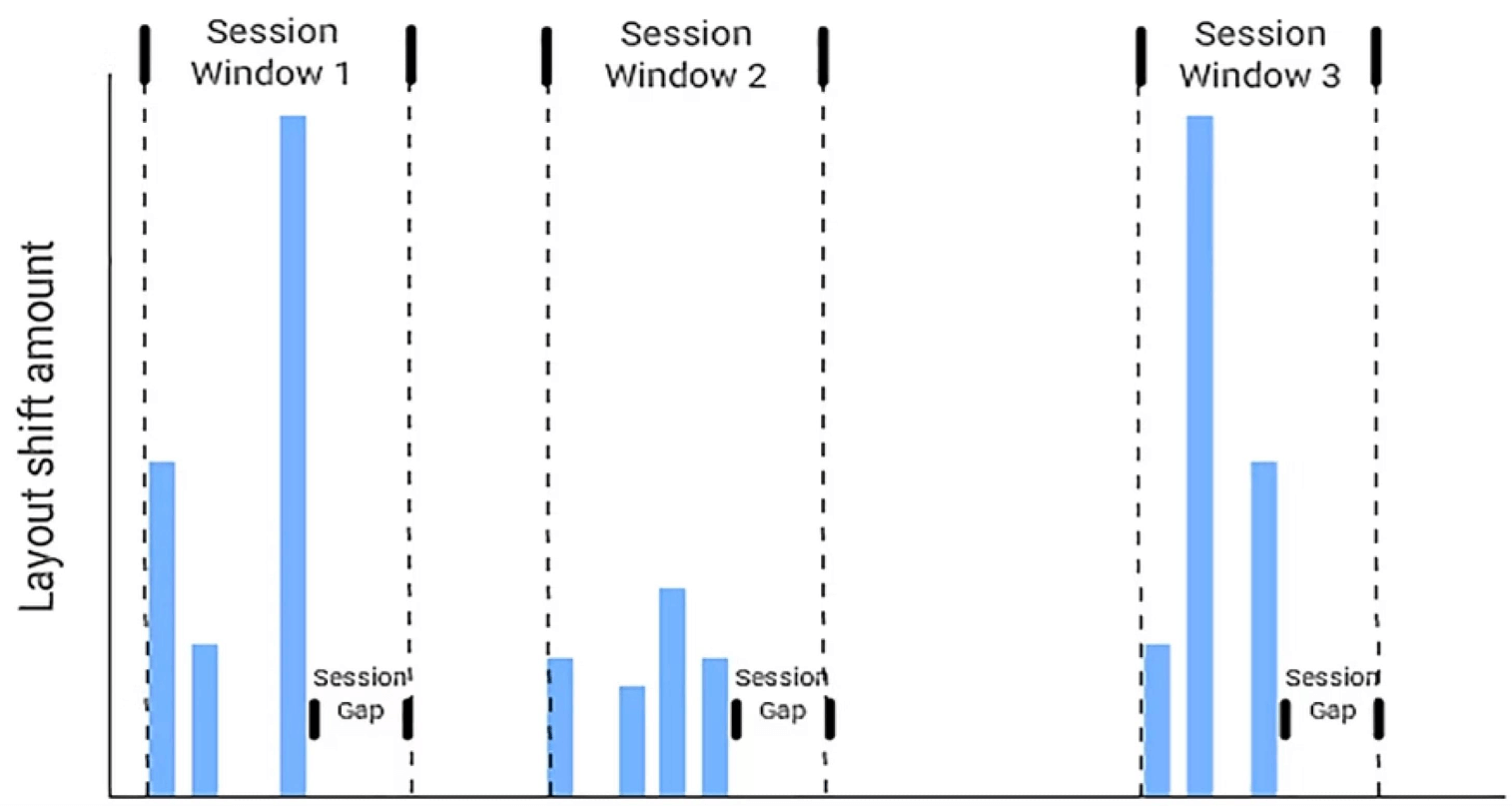
As our PageSpeed.ONE consulting team discovered, understanding metric calculation is fundamental to successful optimization.
The methodology for measuring the Cumulative Layout Shift metric has changed several times, most recently quite significantly. If you want to understand terms like Session Window, Session Gap and learn how it all fits together, read the Czech article about CLS on Vzhůru Dolů.
3) Early Hints: Load Resources Even Before Preloading
An intriguing innovation called Early Hints made its way into Chrome in 2022. This is an HTTP status code (103 Early Hints) that allows the server to send a "hint" about critical sub-resources.
While the server is generating the main resource, critical files (CSS, JS files) are already being downloaded to the browser thanks to Early Hints, which can improve site speed.
4) Priority Hints in Chrome and Edge from Version 101
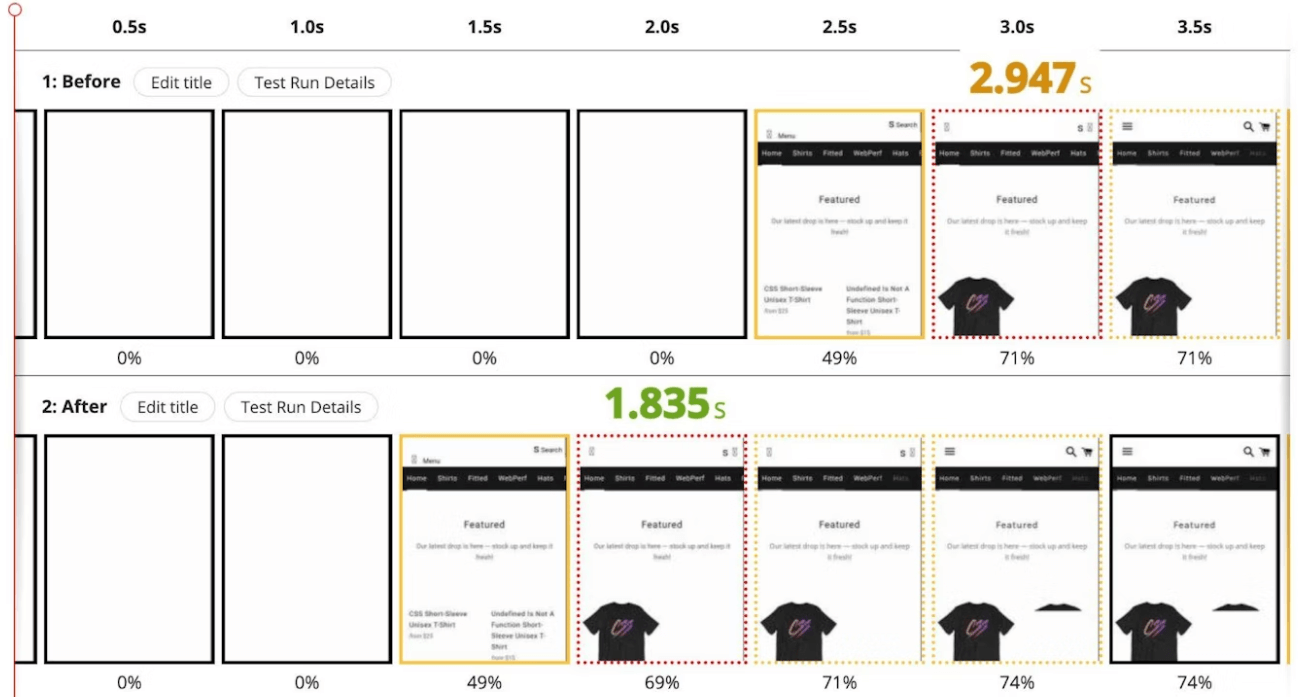
Chrome and Edge version 101 introduce a novelty that takes working with priorities much further. Priority Hints work with the fetchpriority attribute, which can be added to an HTML element to increase or decrease its download priority. You can also learn more on the Vzhůru Dolů website.

5) Step-by-Step Web Speed Measurement (and Our Tester 3.0)
Martin Michálek has prepared a current guide for measuring web speed. Are you measuring correctly? And are you measuring the domain, specific URL, and also groups of pages according to what Google asks of us? The text is mainly aimed at non-technical people and shows how to simplify measurement with the help of the third version of our tester.
6) Introduction of a New Metric: Interaction to Next Paint (INP)
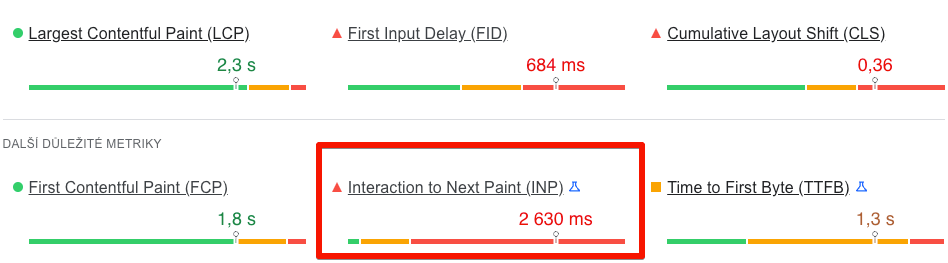
Interaction to Next Paint is an experimental metric that measures the responsiveness of a website after user interaction. Google claims it should eventually replace First Input Delay (FID) in Core Web Vitals because FID is currently met by 95% of websites. FID also only measures the first interaction and one part of the interaction cycle. INP will measure all interactions while browsing pages, with its threshold currently set at 200 ms. More information can also be found on the Vzhůru Dolů website. We also add a few tips on how to optimize the INP metric.
7) Performance Insights: A Simpler, Clearer View of Speed
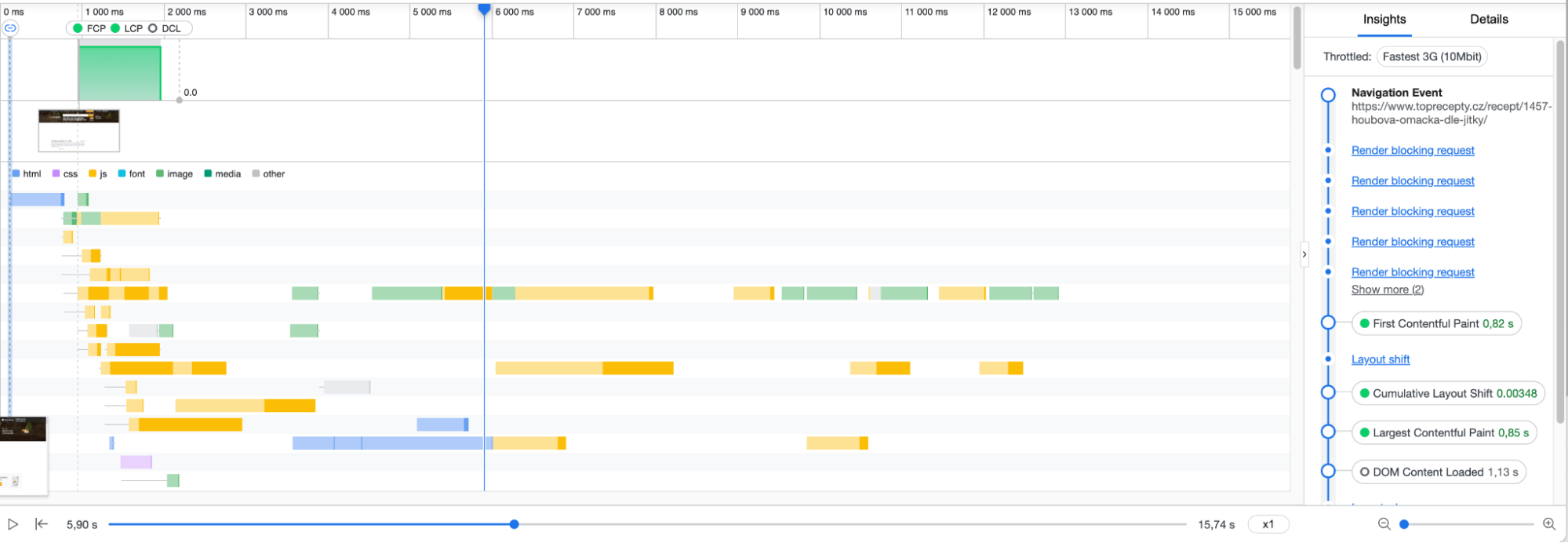
If you want to tweak speed but find the Performance tab in Chrome DevTools complicated, try Performance Insights. It displays only the most relevant information, primarily concerning Web Vitals. A detailed guide on how to use the tool is available on the Chrome Developers website.
8) CSS size-adjust: System and Web Fonts in Harmony
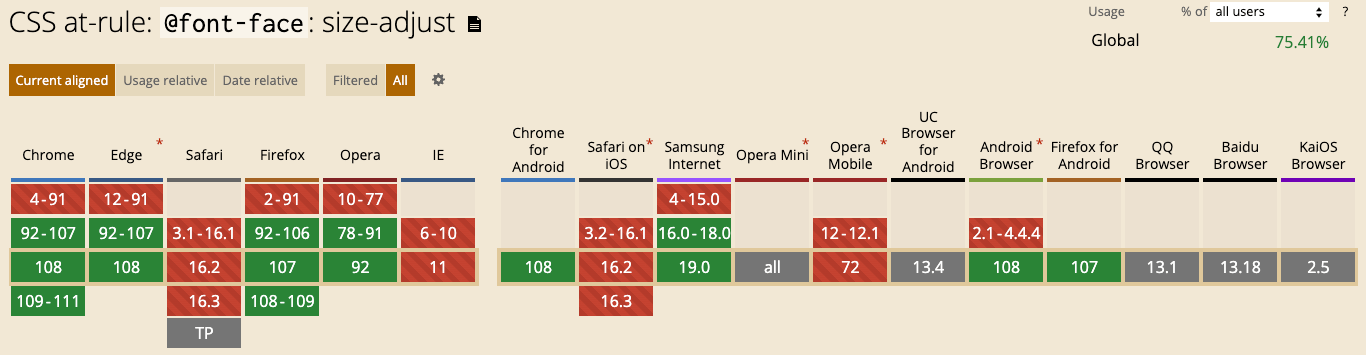
We've begun widely using the CSS size-adjust rule, which already enjoys high browser support. The difference between the web font from your design and the system font can cause unwanted layout shifts (CLS). For these situations, there is the new CSS property size-adjust and ascent-override and this tool to facilitate implementation.
9) CLS: Ensuring Image Aspect Ratios to Avoid Unwanted Layout Shifts
In his article, Jake Archibald describes two techniques to achieve a stable layout containing images. One is the CSS property aspect-ratio, the other is the good old width and height attributes in HTML. The author adds plenty of interesting details. Did you know about the aspect-ratio: auto 16/9 notation? It ensures that the element is set to a 16
ratio, but if the image has a different ratio, it will be applied upon loading.
10) Full Support for Native Lazy Loading Now in Safari
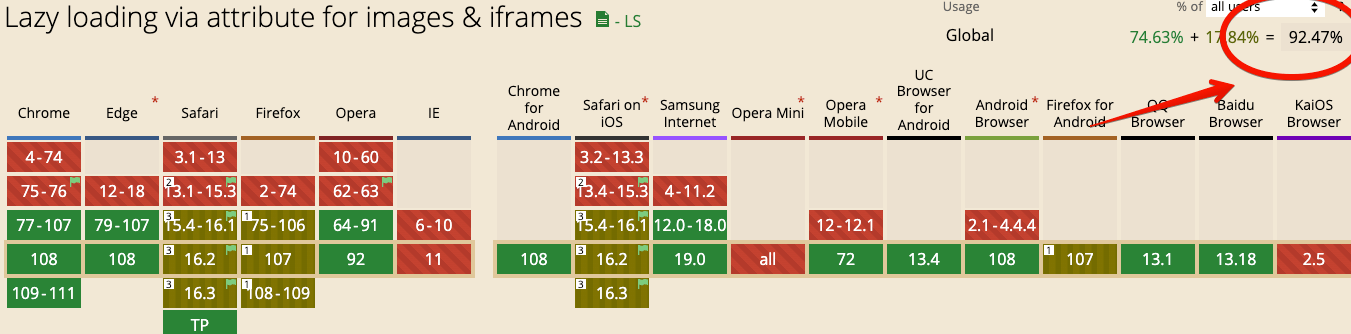
Since Safari version 15.4, released this March, all browsers support the loading="lazy" attribute for images. To support lazy loading for <iframe>, the function still needs to be enabled in some browsers. Native lazy loading of images ensures that images are only loaded when they are about to appear in the viewport, saving network resources and prioritizing more important page content.
11) Back/Forward Cache in Chrome
Bfcache is a browser memory cache that stores a complete snapshot of a page (including lots of JavaScript) while the user navigates away. If the entire page is in memory, the browser can quickly and easily restore it when the user decides to return.
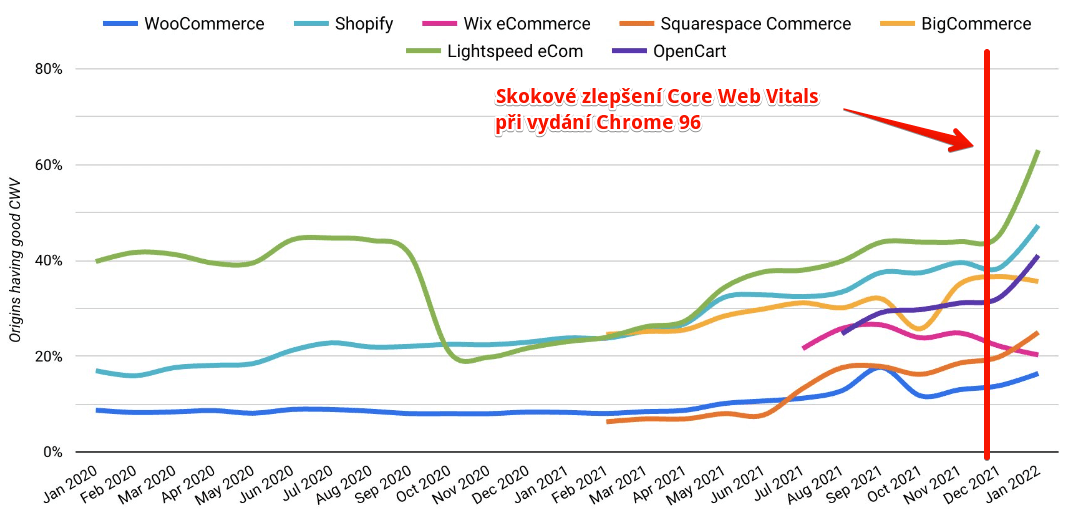
Since Chrome version 96, Bfcache is available for all Chrome users, both on desktops and mobile devices. It could have interesting impacts on speed for real users, as well as data from the Chrome UX Report.
12) Full-Page Prerendering in Chrome
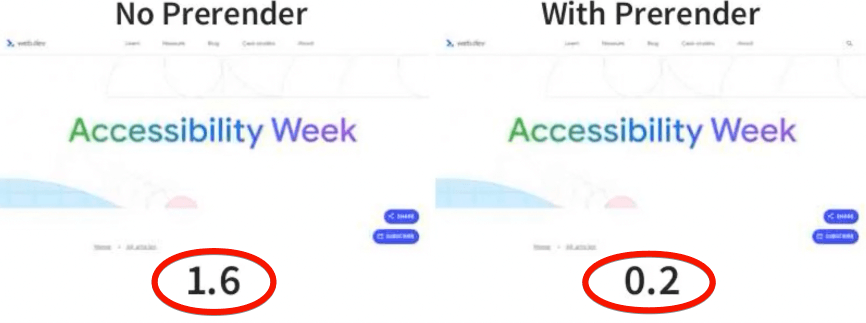
Sometimes it's very likely that a user will soon navigate to a new page, and since the release of Chrome version 108, the browser starts loading the page even before navigating to it.
When the transition to this page occurs, the page that was loaded in the background will "preload" or render immediately.
This concludes our review of 2022. What do we expect in 2023? We certainly anticipate improved support for already introduced features across all browsers.
Moreover, we're eager to see how and when Google will utilize the INP metric. We will definitely keep an eye on developments in Web Performance and bring you fresh updates. Follow us on Twitter, LinkedIn, or Facebook.
How Fast Is Your Website?
How does your website speed compare to your competitors? Find out using our online tester.
Tags:Web PerformanceINP